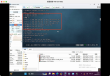
Using pr to make blurred videos clear
This article is about how to use pr to make blurred videos clear. The editor thought it was very practical, so I shared it with you as a reference. Let's follow the editor and have a look.
Open the software, click the File menu, and select the Import option.

After opening the video, select the video special effects option.

In the Blur & sharpen package, select the sharpen option.
In the effect control window, select the sharpen setting item.
In the sharpen option, drag the slider to increase sharpening to make the picture clearer.
Then, in the effects window, select the color balance option.
In the color balance options of the effect control window, set the color values of red, green, and blue.
Finally, export the finished video file and pay attention to setting the parameters.
Thank you for reading! On the use of pr to make blurred video clear method to share here, I hope the above content can be of some help to you, so that you can learn more knowledge. If you think the article is good, you can share it and let more people see it.