What are the steps for idea to install a local plug-in
This article mainly explains "what are the steps for idea to install local plug-ins". Interested friends may wish to take a look. The method introduced in this paper is simple, fast and practical. Let's let the editor take you to learn "what are the steps for idea to install local plug-ins"!
Idea plug-in installation steps
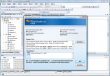
1. Open idea and click File- "Settings...-" Plugins
two。 Click the Settings icon-"Select Install Plugin Disk..., as shown below:"

3. Select the address where the local plug-in is stored, and click OK, as shown below:

4. Then click Apply, then click OK, and the installation is complete.
At this point, I believe you have a deeper understanding of "what are the steps for idea to install local plug-ins". You might as well do it in practice. Here is the website, more related content can enter the relevant channels to inquire, follow us, continue to learn!