




In addition to Weibo, there is also WeChat
Please pay attention
WeChat public account
Shulou



2026-08-18 Update From: SLTechnology News&Howtos shulou NAV: SLTechnology News&Howtos > Development >
Share
Shulou(Shulou.com)06/01 Report--
This article mainly introduces "how to install and configure Android Studio" related knowledge, the editor through the actual case to show you the operation process, the method of operation is simple and fast, practical, I hope that this "how to install and configure Android Studio" article can help you solve the problem.
1. Download the installed package:
Wget https://redirector.gvt1.com/edgedl/android/studio/ide-zips/4.1.0.16/android-studio-ide-201.6719854-linux.tar.gz
two。 Decompress:
Tar-xzf android-studio-ide-201.6719854-linux.tar.gz
3. Run the installation script
Cd "your AndroidStudio decompression path" / bin. / studio.sh
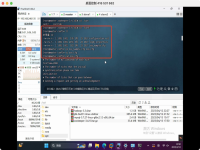
For the initial installation, there is no configuration file to import import; and do not configure the agent proxy for the time being (configure it later).
Select custom

I don't install Android virtual devices, I just test them with Android phones.
Official installation guide
INSTALLATION INSTRUCTIONS
=
1. Unpack the Android Studio distribution archive that you downloaded
Where you wish to install the program. We will refer to this
Location as your {installation home}.
2. To start the application, open a console, cd into "{installation home} / bin" and type:
. / studio.sh
This will initialize various configuration files in the configuration directory:
~ / config/Google/AndroidStudio4.1.
3. [OPTIONAL] Add "{installation home} / bin" to your PATH environment
Variable so that you can start Android Studio from any directory.
4. [OPTIONAL] To adjust the value of the JVM heap size, create a file studio.vmoptions
(or studio64.vmoptions if using a 64-bit JDK) in the configuration directory
And set the-Xms and-Xmx parameters. To see how to do this
You can reference the vmoptions file under "{installation home} / bin" as a model
But do not modify it, add your options to the new file.
[OPTIONAL] Change the location of the "config" and "system" directories
By default, Android Studio stores all your settings in the
~ / .config/Google/AndroidStudio4.1 directory
And uses /. Local/share/Google/AndroidStudio4.1 as a data cache.
To change the location of these directories:
1. Open a console and cd into ~ / .config/Google/AndroidStudio4.1
2. Create a file idea.properties and set the idea.system.path and idea.config.path variables, for example:
Idea.system.path=~/custom/system
Idea.config.path=~/custom/config
NOTE: Store the data cache ("system" directory) on a disk with at least 1 GB of free space.
This is the end of the introduction to "how to install and configure Android Studio". Thank you for reading. If you want to know more about the industry, you can follow the industry information channel. The editor will update different knowledge points for you every day.
Welcome to subscribe "Shulou Technology Information " to get latest news, interesting things and hot topics in the IT industry, and controls the hottest and latest Internet news, technology news and IT industry trends.
Views: 0
*The comments in the above article only represent the author's personal views and do not represent the views and positions of this website. If you have more insights, please feel free to contribute and share.

The market share of Chrome browser on the desktop has exceeded 70%, and users are complaining about

The world's first 2nm mobile chip: Samsung Exynos 2600 is ready for mass production.According to a r


A US federal judge has ruled that Google can keep its Chrome browser, but it will be prohibited from
Continue with the installation of the previous hadoop.First, install zookooper1. Decompress zookoope





About us Contact us Product review car news thenatureplanet
More Form oMedia: AutoTimes. Bestcoffee. SL News. Jarebook. Coffee Hunters. Sundaily. Modezone. NNB. Coffee. Game News. FrontStreet. GGAMEN
© 2024 shulou.com SLNews company. All rights reserved.
 12
12
 Report